


Maconce Elementary
Mission Statement
Francois Maconce Elementary School, in partnership with the community, will provide a learning environment by delivering quality instruction that promotes curiosity, creativity and the desire in students to reach their full potential.
2026-2027 School Year Information
Back to School
Please review the following documents with helpful information for the year.
Important Dates and Information
For more upcoming school information, please read our monthly newsletter in the newsletter menu.
Food Service
Please complete this form to help our school with state benefits.
Maconce News
Subscribe to RSS Feed for Maconce NewsKindergarten Options at Anchor Bay
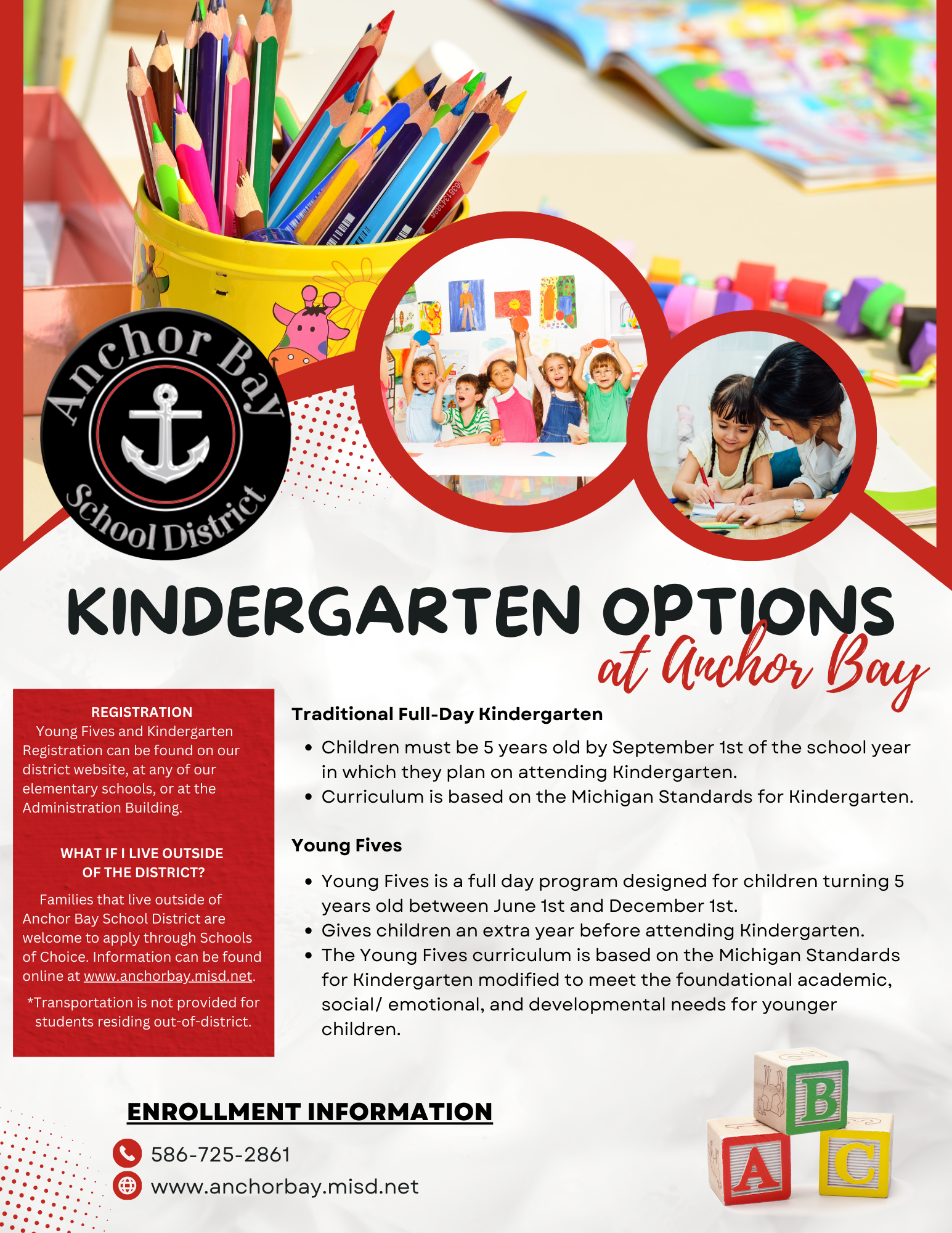
Traditional Full-Day Kindergarten
- Children must be 5 years old by September 1st of the school year in which they plan on attending Kindergarten.
- Curriculum is based on the Michigan Standards for Kindergarten.
Young Fives
- Young Fives is a full day program designed for children turning 5 years old between June 1st and December 1st.
- Gives children an extra year before attending Kindergarten.
- The Young Fives curriculum is based on the Michigan Standards for Kindergarten modified to meet the foundational academic, social/ emotional, and developmental needs for younger children.
- Schools of Choice is available for both programs.
Upcoming Events
 Subscribe to Upcoming Events Calendars
October 12
Mindful Moments
Maconce Elementary School - FME Gym
Mindful Moments
Date: Oct 12
Location: Maconce Elementary School - FME Gym
Calendar: Maconce Events
October 19
Mindful Moments
Maconce Elementary School - FME Gym
Mindful Moments
Date: Oct 19
Location: Maconce Elementary School - FME Gym
Calendar: Maconce Events
October 26
Mindful Moments
Maconce Elementary School - FME Gym
Mindful Moments
Date: Oct 26
Location: Maconce Elementary School - FME Gym
Calendar: Maconce Events
October 28
Board of Education Meeting - Superintendent Evaluation
6:00 PM
All Sites - All Spaces
Board of Education Meeting - Superintendent Evaluation
Date: Oct 28
Time: 6:00 PM to 7:00 PM
Location: All Sites - All Spaces
Calendar: Maconce Events
MacDonald Elementary Board Room
Board of Education Meeting
7:00 PM
All Sites - All Spaces
Board of Education Meeting
Date: Oct 28
Time: 7:00 PM to 9:00 PM
Location: All Sites - All Spaces
Calendar: Maconce Events
MacDonald Elementary Board Room
October 30
Popcorn Friday
Maconce Elementary School - All Spaces
Popcorn Friday
Date: Oct 30
Location: Maconce Elementary School - All Spaces
Calendar: Maconce Events
November 2
Mindful Moments
Maconce Elementary School - FME Gym
Mindful Moments
Date: Nov 2
Location: Maconce Elementary School - FME Gym
Calendar: Maconce Events
November 3
No School – Election Day
All Sites - All Spaces
No School – Election Day
Date: Nov 3
Location: All Sites - All Spaces
Calendar: Maconce Events
November 9
Mindful Moments
Maconce Elementary School - FME Gym
Mindful Moments
Date: Nov 9
Location: Maconce Elementary School - FME Gym
Calendar: Maconce Events
November 11
Picture Retakes
Maconce Elementary School - FME Media Center
Picture Retakes
Date: Nov 11
Location: Maconce Elementary School - FME Media Center
Calendar: Maconce Events
Want the school calendar to update to your phone? Click on the small calendar icon next to UPCOMING EVENTS for directions.
Spotlights



Contact Us
Maconce Elementary
School Times:
Full Day: 9:00 AM - 3:51 PM
1/2 Day: 9:00 AM - 12:26 PM
Important School Information
Report Cards
Newsletter
Maconce Documents
Supply List
Medical Forms and Information
Maconce BEAR Council
 Pay-for-it:
- Log on to https://www.payforit.net/
- Add students to your account. You will need their Power Schools ID (you can get this from your school office.
- Click on the Fees Tab to pay your students assigned or optional fees.
To Make a payment on Pay-for-It:
- Log in and got to the "Fees" tab
- Click on "Make Fee Payment"
- Under Optional Fees - Click on the green "+".


Additional Information
Volunteer Form
2026-2027 Printable District Calendar
Sexual Harassment Brochure
Universal Code of Conduct